Why Is My Website So Slow? Common Causes and How to Fix Them
7 MINUTES READ
6 JUNE 2026
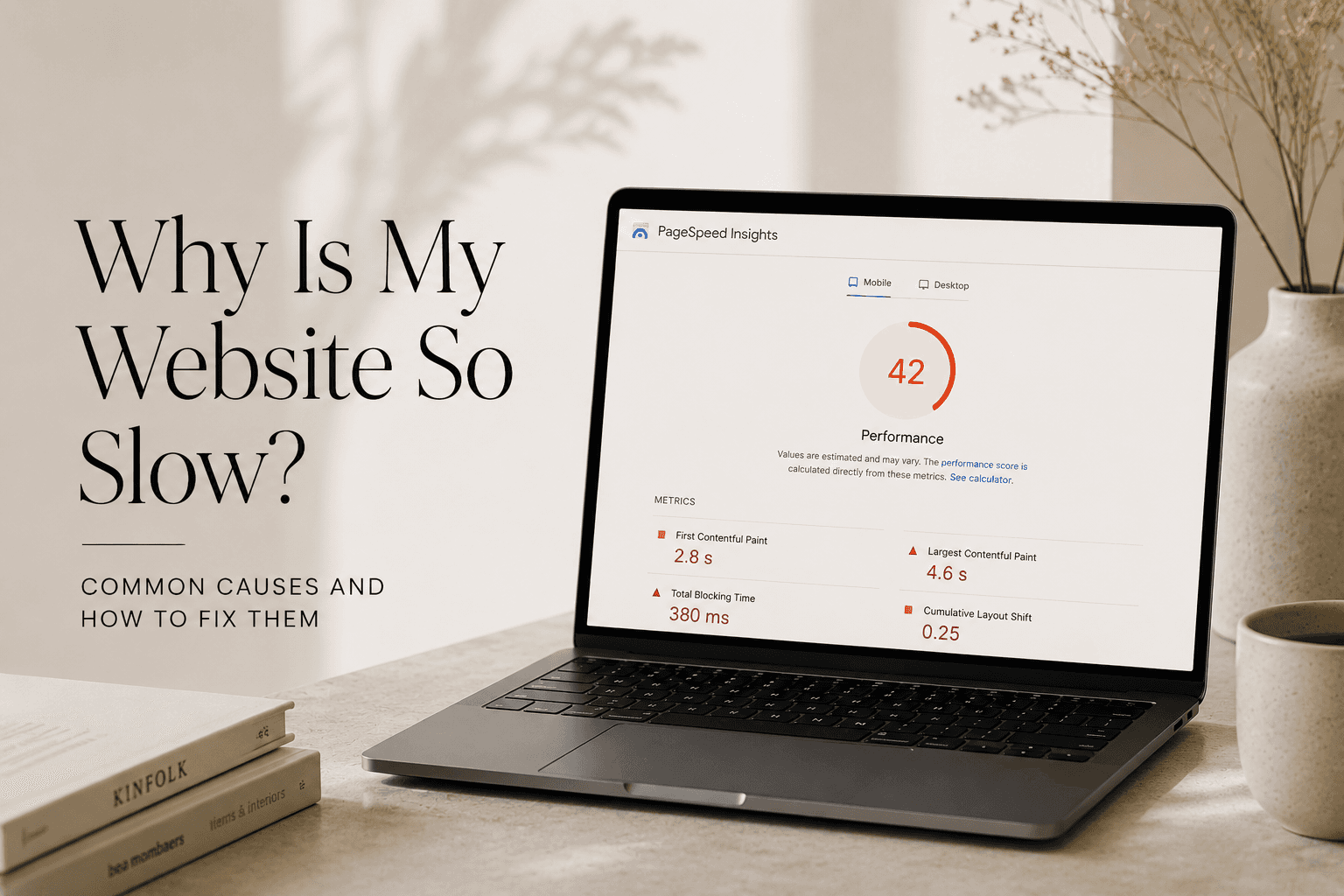
If you've ever found yourself asking, "why is my website so slow?", you're not alone. Slow-loading pages are one of the most common website issues faced by business owners, yet they're often overlooked until they start affecting traffic, enquiries, and customer experience. A delay of just a few seconds can be enough to frustrate visitors and encourage them to leave before your content even loads.
From our experience working on small business web design projects, website speed problems are usually caused by a handful of common issues that can be fixed once identified. Because page speed plays an important role in user experience, search visibility, and conversions, it's worth understanding what may be slowing your website down. In this article, we'll explore the most common causes behind the question "why is my website so slow?", why website speed matters, and practical ways to improve overall performance.
How to Test Website Speed?
If you're wondering, "why is my website so slow?", the first step is to measure its performance using reliable testing tools. Website speed tests can help identify issues such as large images, slow server response times, excessive scripts, or poor optimisation.
Whether you're planning a website redesign or comparing a custom website vs template website, understanding your site's performance can help you make more informed decisions. Regular testing also makes it easier to spot problems before they start affecting user experience, search visibility, and conversions.
Google PageSpeed Insights: Provides performance scores, Core Web Vitals data, and recommendations for improving speed on both desktop and mobile devices.
GTmetrix: Offers detailed reports on loading times, page size, requests, and specific factors that may be slowing your website down.
Lighthouse: Built into Google Chrome, Lighthouse generates performance audits and highlights opportunities to improve website speed and usability.
Why Is My Website So Slow? Common Factors That Affect Performance
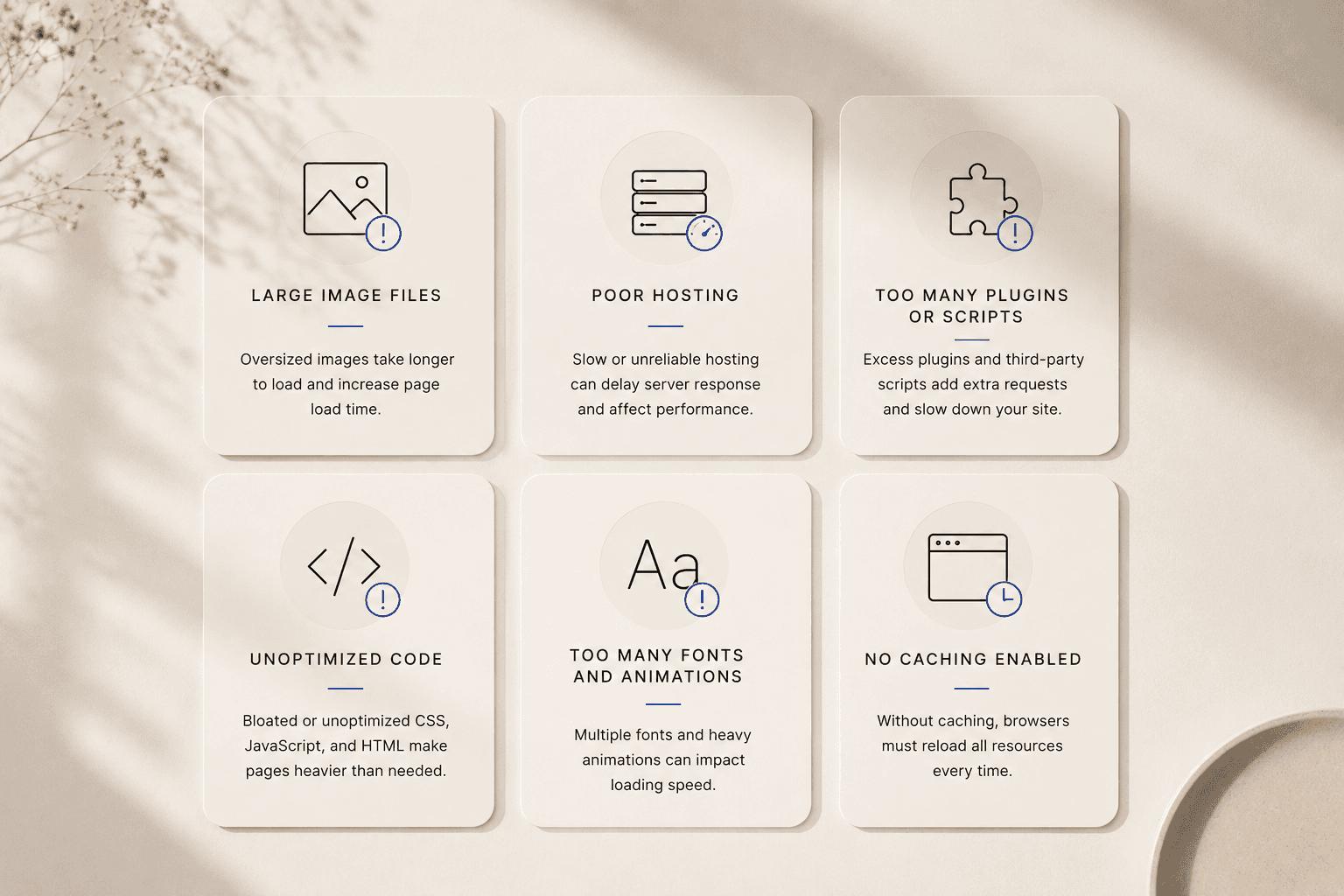
Website speed is influenced by a combination of technical, design, and content-related factors. While some issues are easy to identify, others can gradually impact performance without being immediately noticeable.
Understanding the most common causes of slow loading times can help you prioritise improvements and create a better experience for visitors. Below, we'll break down the key factors behind the question "why is my website so slow?", explain how they affect performance, and highlight areas often addressed through professional web design services and effective on-page SEO practices.
Large Image Files
Large, unoptimised images are one of the most common reasons websites load slowly. High-resolution photos can look great, but they often increase page size significantly, forcing browsers to download more data before displaying content. This issue is especially common on older websites where images have been uploaded without compression.
If you've been asking yourself, "why is my website so slow?", oversized images are often one of the first things worth checking. During a small business website redesign, image optimisation is usually one of the quickest ways to improve performance. Faster pages can also support broader SEO efforts, although factors such as content quality and authority still influence how long does SEO take to work.
Solutions:
Compress images before uploading: Use tools such as TinyPNG or ImageOptim to reduce file sizes without noticeably affecting quality.
Use modern image formats: Formats like WebP often provide better compression than traditional JPG or PNG files.
Resize images appropriately: Avoid uploading images that are much larger than the space they occupy on the page.
Enable lazy loading: Load images only when visitors scroll to them, reducing the amount of data required when a page first opens.
Remove unnecessary media: Review older pages and delete images that no longer add value to the user experience.
Too Many Plugins and Third-Party Scripts
Plugins and third-party scripts can add useful functionality to a website, but using too many of them often comes at the cost of performance. Every plugin, tracking tool, chat widget, social media feed, or external script adds additional requests that browsers must process before a page fully loads.
Over time, these elements can accumulate and significantly slow down a website. This is one reason why many businesses choose custom web design services rather than relying on heavily modified templates packed with unnecessary features. Faster, more streamlined websites also contribute to a better user experience, which is closely linked to UX design and conversion performance.
Solutions:
Remove unnecessary plugins: Audit your website regularly and delete plugins that are no longer essential.
Limit third-party integrations: Only use tools that provide clear value to your business and visitors.
Replace multiple plugins with one solution: Consolidating functionality can reduce the number of requests made by your website.
Review tracking scripts: Remove outdated analytics, marketing, or advertising scripts that are no longer being used.
Choose lightweight alternatives: Where possible, use simpler plugins and tools designed with performance in mind.
Poor Hosting Performance
Your hosting provider plays a major role in how quickly your website loads. Even a well-designed website can struggle with performance if it's hosted on slow or overcrowded servers. Shared hosting plans are often the biggest culprit, particularly as websites grow and attract more traffic.
When businesses ask, "why is my website so slow?", server performance is frequently part of the answer. Reliable hosting provides a stronger foundation for SEO web design services and helps ensure visitors can access content without unnecessary delays. It also becomes increasingly important as your website expands beyond the basics discussed in guides such as how many pages does a small business website need.
Solutions:
Upgrade your hosting plan: Moving from basic shared hosting to a higher-quality plan can significantly improve speed.
Choose a reputable hosting provider: Look for providers with strong uptime records and reliable performance.
Use a content delivery network (CDN): A CDN stores copies of your website across multiple locations, helping pages load faster for visitors.
Monitor server response times: Regular testing can reveal whether hosting is contributing to performance issues.
Review resource usage: Growing websites may require additional server resources to maintain fast loading times.
Unoptimized Code and Website Bloat
As websites evolve, it's common for unused code, outdated features, and unnecessary elements to accumulate in the background. This extra code can increase page size, create additional requests, and force browsers to work harder before displaying content. The issue is particularly common on older websites that have gone through multiple updates without proper optimisation.
During a small business website redesign project, cleaning up unnecessary code is often one of the most effective ways to improve performance. A streamlined website also supports a better user experience, which is especially important for businesses evaluating questions such as do I need a website if I have Instagram and how their online presence can better support long-term growth.
Solutions:
Remove unused CSS and JavaScript: Eliminating unnecessary code can reduce page size and improve loading times.
Audit old features and integrations: Remove tools, widgets, and functionality that no longer serve a purpose.
Minify website files: Compressing CSS, JavaScript, and HTML files helps browsers load content more efficiently.
Avoid feature overload: Focus on functionality that genuinely benefits users instead of adding unnecessary extras.
Review your website regularly: Ongoing maintenance helps prevent code bloat from building up over time.
Too Many Fonts, Animations, and Visual Effects
Modern websites often include custom fonts, animations, video backgrounds, hover effects, and other visual elements designed to create a polished experience. While these features can enhance a website when used thoughtfully, excessive use can have the opposite effect and negatively impact performance.
In many cases, the answer to "why is my website so slow?" can be traced back to visual elements that require additional resources to load. Effective web design for small businesses focuses on balancing aesthetics with performance, ensuring visitors enjoy a smooth experience without unnecessary delays. This is also why projects often take time to plan properly, as discussed in our guide on how long does it take to build a website.
Solutions:
Limit the number of fonts: Using fewer font families and font weights can reduce loading times.
Use animations selectively: Reserve animations for key interactions rather than applying them throughout the entire website.
Avoid large background videos: Consider static images or lightweight alternatives where possible.
Optimise visual effects: Simplify effects that require significant browser processing power.
Test performance regularly: Review how design changes affect loading speed across different devices and browsers.
No Caching Enabled
Caching helps browsers store certain website files so they don't need to be downloaded again every time a visitor returns to a page. Without caching, browsers must repeatedly request the same resources, which can increase loading times and place unnecessary strain on servers.
This issue often goes unnoticed because the website may appear to function normally, even though performance is far from optimal. Faster loading times contribute to a better user experience and can support broader SEO efforts, particularly when addressing concerns covered in guides such as why is my website not showing up on Google.
Solutions:
Enable browser caching: Allow browsers to store commonly used website resources for faster repeat visits.
Use server-side caching: Store generated page content to reduce the amount of processing required for each request.
Implement a caching plugin: Many website platforms offer reliable caching tools that are easy to configure.
Set appropriate cache durations: Ensure static resources remain cached for a reasonable period before being refreshed.
Test performance after enabling caching: Use speed testing tools to measure improvements and identify additional optimisation opportunities.
Excessive Redirects
Redirects are useful when pages are moved, renamed, or removed, but too many of them can slow down a website. Each redirect creates an additional step between the visitor and the final destination page, increasing the time it takes for content to load. Over time, websites can accumulate redirect chains that negatively affect both performance and user experience.
When analysing why is your website so slow, excessive redirects are often overlooked despite having a noticeable impact on loading times. Identifying and fixing redirect issues is a common part of professional small business web design services, particularly on websites that have undergone multiple updates or structural changes.
Solutions:
Remove unnecessary redirects: Review old redirects and keep only those that serve a clear purpose.
Fix redirect chains: Ensure URLs point directly to the final destination rather than passing through multiple redirects.
Update internal links: Replace links that trigger redirects with direct links to the correct page.
Monitor website migrations carefully: Check redirects after redesigns or domain changes to avoid performance issues.
Perform regular technical audits: Routine reviews can uncover redirect problems before they begin affecting website speed.
Too Many HTTP Requests
Every element on a webpage, including images, fonts, scripts, videos, and style files, requires a separate request between the browser and the server. As these requests add up, loading times can increase, particularly on pages with complex layouts and numerous third-party resources.
In some cases, the answer to "why is my website so slow?" comes down to the sheer number of files that need to be loaded before a page can be displayed. Slow-loading pages can also contribute to issues explored in our guide on why your website isn't generating leads, as visitors are less likely to stay engaged when performance suffers.
Solutions:
Reduce unnecessary page elements: Remove features and assets that don't provide meaningful value to visitors.
Combine files where possible: Consolidating CSS and JavaScript files can reduce the number of requests required.
Limit third-party resources: Use external tools and integrations only when they serve a clear purpose.
Optimise fonts and icons: Reduce the number of font files and icon libraries loaded on each page.
Monitor page requests regularly: Website auditing tools can help identify pages with excessive requests and performance bottlenecks.
Outdated Themes, Plugins, and Software
Keeping your website software up to date is essential for both performance and security. Outdated themes, plugins, and content management systems can introduce compatibility issues, inefficient code, and unnecessary performance bottlenecks.
As websites age, older components may struggle to work efficiently with modern browsers and technologies, resulting in slower loading times and a less reliable user experience. Regular maintenance is an important part of small business website design, helping ensure that websites continue to perform well as technologies and user expectations evolve.
Solutions:
Update your website regularly: Keep themes, plugins, and your content management system up to date.
Remove unsupported plugins: Delete tools that are no longer maintained or receive security updates.
Review theme performance: Consider replacing outdated themes with more efficient alternatives.
Test updates before deployment: Use a staging environment to identify compatibility issues before updating your live website.
Schedule ongoing maintenance: Regular audits can help prevent performance problems from building up over time.
Poor Mobile Optimisation
Mobile devices now account for a significant share of website traffic, making mobile performance more important than ever. Websites that aren't properly optimised for smaller screens often load unnecessary resources, display oversized elements, or struggle with inefficient layouts.
These issues can increase loading times and create a frustrating experience for visitors. For many businesses researching why is my website so slow, mobile performance is an area that deserves closer attention. This is one reason custom web design services often focus on responsive design and performance optimisation from the beginning rather than treating mobile usability as an afterthought.
Solutions:
Test your website on multiple devices: Review performance across different screen sizes and operating systems.
Optimise images for mobile users: Ensure images are appropriately sized and compressed for smaller screens.
Reduce unnecessary mobile elements: Remove features that add little value but increase loading times.
Use responsive design principles: Build layouts that adapt efficiently to different devices and resolutions.
Monitor mobile performance regularly: Use website speed testing tools to identify and resolve mobile-specific issues.
Issue | Recommended Solution |
|---|---|
Large image files | Compress images, resize them appropriately, and use modern formats such as WebP. |
Too many plugins and third-party scripts | Remove unnecessary plugins, limit external integrations, and consolidate functionality where possible. |
Poor hosting performance | Upgrade to a higher-quality hosting plan and monitor server response times regularly. |
Unoptimized code and website bloat | Remove unused CSS and JavaScript, eliminate outdated features, and perform regular code audits. |
Too many fonts, animations, and visual effects | Reduce the number of fonts, simplify animations, and avoid resource-heavy visual elements. |
No caching enabled | Enable browser and server-side caching to reduce loading times for returning visitors. |
Excessive redirects | Remove unnecessary redirects, fix redirect chains, and update internal links. |
Too many HTTP requests | Minimise page elements, combine files where possible, and limit third-party resources. |
Outdated themes, plugins, and software | Keep website software updated and remove unsupported tools that may affect performance. |
Poor mobile optimisation | Optimise images, simplify mobile layouts, and regularly test performance across devices. |
How Website Speed Affects SEO and User Experience?
Website speed plays an important role in how visitors interact with your website and how search engines evaluate its performance. Slow-loading pages can lead to higher bounce rates, lower engagement, and fewer conversions, as visitors are less likely to wait for content to appear. This is one reason why website performance is often considered during both design and optimisation projects. When businesses ask, "why is my website so slow?", they're often dealing with an issue that affects far more than loading times alone.
From an SEO perspective, page speed is one of many factors that contribute to overall website performance. While a faster website won't guarantee higher rankings on its own, it can help create a better experience for both users and search engines. Faster pages are generally easier to crawl, more accessible across devices, and more likely to keep visitors engaged. Combined with quality content and strong optimisation, good website speed can support long-term growth and improve overall website effectiveness.
How Fast Should a Website Be?
There isn't a single loading speed that applies to every website, but most experts agree that faster is almost always better. In general, visitors expect pages to load within a few seconds, particularly on mobile devices. When researching why is my website so slow, many business owners discover that even small delays can negatively affect user engagement and overall website performance.
From our experience with small business web design projects, aiming for strong performance benchmarks is often more practical than chasing a perfect speed score. A website should feel responsive, load key content quickly, and provide a smooth experience across different devices and internet connections.
Performance Indicator | Recommended Target |
|---|---|
Overall Page Load Time | Under 3 seconds |
Largest Contentful Paint (LCP) | Under 2.5 seconds |
Server Response Time | Under 1 second |
Mobile Performance | Fast and responsive across devices |
Core Web Vitals | Pass Google's recommended thresholds |
While these benchmarks provide useful guidance, they shouldn't be viewed as strict rules. A website that loads quickly, functions smoothly, and delivers a positive user experience will generally outperform one that focuses solely on achieving perfect speed scores. The goal is to create a fast, reliable website that meets the needs of both visitors and search engines.
Why Is My Website So Slow? Final Thoughts
Understanding the answer to "why is my website so slow?" is the first step towards improving your website's performance. While slow loading times can be frustrating, they're often caused by a combination of issues that can be identified and addressed with the right approach. From large image files and poor hosting to excessive plugins and outdated software, even small improvements can have a noticeable impact on speed.
A faster website can provide a better experience for visitors, support your SEO efforts, and help keep potential customers engaged for longer. Regular performance testing, ongoing maintenance, and thoughtful optimisation can go a long way towards ensuring your website remains fast, reliable, and effective as your business grows.
Frequently Asked Questions
Why is my website so slow?
A slow website can be caused by several factors, including large image files, poor hosting performance, excessive plugins, outdated software, unoptimized code, and too many third-party scripts. In many cases, website speed issues result from a combination of factors rather than a single problem.
How to fix a website being slow?
The best way to fix a slow website is to identify the underlying causes through a website speed test. Common solutions include compressing images, enabling caching, removing unnecessary plugins, reducing redirects, improving hosting performance, and keeping website software up to date.
How can I test my website speed?
You can test website speed using free tools such as Google PageSpeed Insights, GTmetrix, and Lighthouse. These tools analyse loading performance, highlight potential issues, and provide recommendations that can help improve website speed.
Does website speed affect SEO?
Yes, website speed can influence SEO performance. Faster websites generally provide a better user experience, making it easier for visitors to engage with content. While speed is only one ranking factor among many, poor performance can negatively affect both user satisfaction and search visibility.
What is website performance analysis?
Website performance analysis is the process of evaluating how efficiently a website loads and functions. This typically involves measuring factors such as loading speed, server response times, Core Web Vitals, page size, and overall user experience to identify areas for improvement.
Why is my browser so slow but the internet is fast?
A slow browser doesn't always indicate a slow internet connection. Browser performance can be affected by outdated software, excessive extensions, cached files, background processes, or websites that require significant resources to load. Testing multiple websites and browsers can help determine whether the issue is related to the browser itself or a specific website.
BLOG